
VPS vs Dedicated Server: How to Choose the Right Hosting Tier Before You Overspend
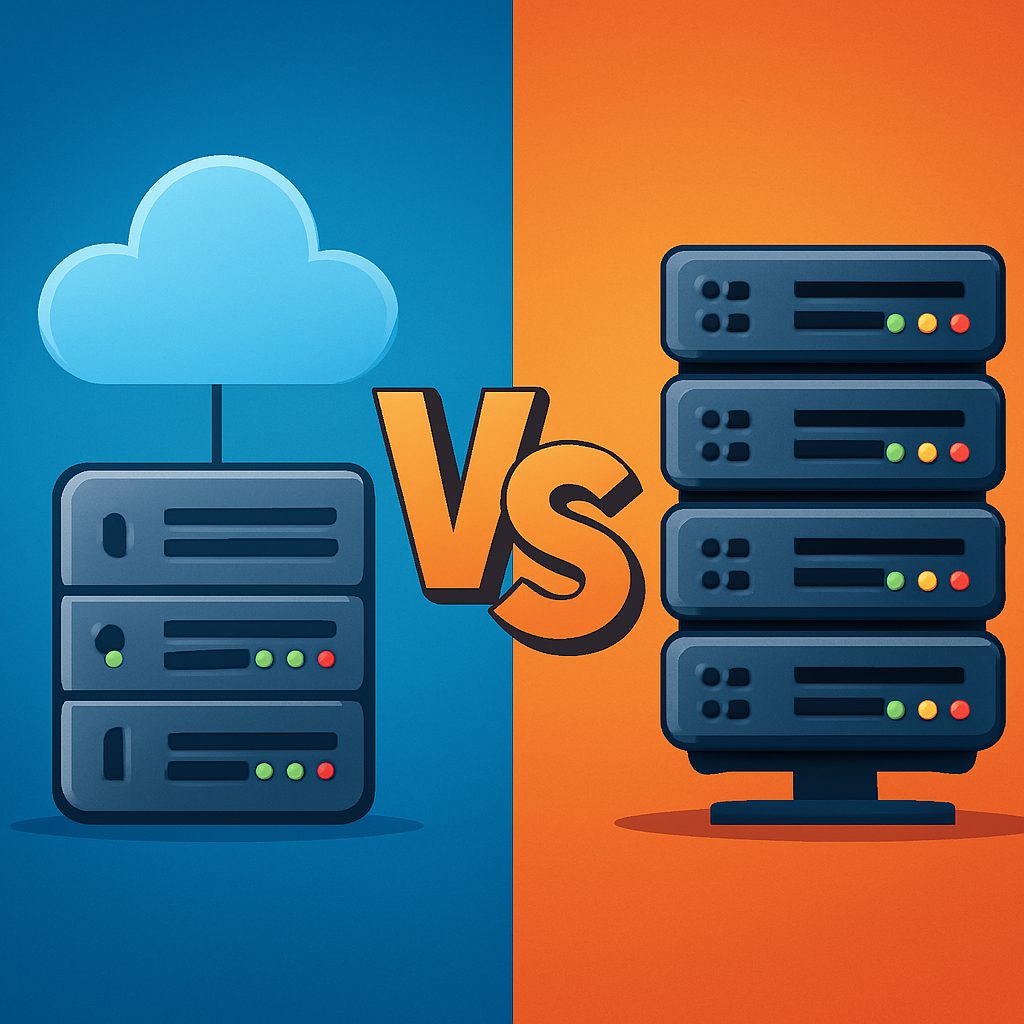
Choosing hosting isn’t about chasing the cheapest option; it’s about aligning workload, growth, and risk with the right tier. This guide on how to choose between VPS and dedicated server provides a practical decision framework—profile your current and projected traffic, evaluate performance and security needs, and quantify total costs and migration risk before you overspend. Grounded in real-world provider examples from Bluehost, DigitalOcean, OVH, Hetzner, and Liquid Web, you’ll leave with a clear path to pick the right hosting tier for your site and budget.
1) Assess Your Current Workloads and Near-Term Growth
Begin with a concrete assessment of current workloads and near-term growth to anchor your VPS vs dedicated decision. This avoids overprovisioning or under provisioning by anchoring choices to real usage patterns rather than intuition.
Pull baseline metrics from your hosting dashboard: sustained usage for CPU, occupancy of RAM, disk IOPS, and bandwidth. These numbers set the floor for what you can support today and define the cushion you’ll need as traffic rises.
- Document current resource usage from your hosting dashboard (CPU, RAM, disk IOPS, bandwidth).
- Forecast traffic patterns including peak loads for the next 12-24 months.
- Characterize applications (WordPress, Magento, custom SaaS, databases) and data growth rates.
- Identify peak concurrency targets and responsiveness goals.
A practical limitation to watch is the difference between bursts and sustained load. VPS and dedicated plans don’t auto-scale; sizing based on sustained demand reduces the risk of under-provisioning during spikes.
Example: A mid-sized ecommerce site on Bluehost VPS with 4GB RAM and 2 vCPUs handles around 40 concurrent users on normal days and spikes to 60 during sales. Profiling shows sustained CPU around 65% and RAM around 70% during peak, with traffic expected to double in the next 12 months. In that scenario, upgrading to an 8GB VPS or a dedicated server with 16GB RAM becomes prudent.
Important: focus on sustained resource usage, not isolated peak spikes, to decide between VPS and dedicated.
2) Map Resource Needs to VPS and Dedicated Hardware
To map resource needs to VPS or dedicated hardware, translate observed workloads into concrete targets for CPU, RAM, storage I/O, and bandwidth. CPU cores, memory headroom, and IOPS are the primary levers that decide tier. If your site typically runs on 2–4 vCPU and 2–8 GB RAM with moderate I/O during peak, a solid mid-range VPS usually covers you. If you see sustained high load—CPU regularly above 70–80%, RAM in the 80–90% range, or DB-heavy pages with latency creeping upward—you’re pushing past VPS comfort and should plan a move to either a higher-end VPS with better IOPS or dedicated hardware. The choice isn’t just price; it’s reliability under expected traffic and the security posture you require.
Storage type and virtualization matter as much as raw memory. SSDs help, but NVMe storage is where latency-sensitive apps notice a difference. On a VPS, you share I/O bandwidth with other tenants, so IOPS and latency can vary. A dedicated server, by contrast, offers bare-metal performance with predictable IOPS and no neighbor contention. For catalog-heavy ecommerce or transactional databases, favor NVMe-backed storage, ensure strong network uplinks, and look for providers that publish consistent latency figures. For context, providers commonly cited in this framework include DigitalOcean Droplets, Bluehost VPS, OVH VPS, and Hetzner dedicated servers.
Real-world example: a mid-size ecommerce site on a 4 GB RAM, 2 vCPU VPS (DigitalOcean Droplets) sees CPU utilization around 75–85% during flash promotions and DB latency spikes to 120–180 ms. To handle growth, the operator plans an upgrade to 8 GB RAM, 4 vCPU on a higher-end VPS or a dedicated server with NVMe, then weighs pricing and risk. The decision often comes down to security requirements and long‑term cost stability—dedicated hardware reduces compliance friction and delivers predictable performance, but with higher ongoing costs.
Framework overview for mapping resources begins with a simple principle: set a baseline, map to tier, then stress-test against growth. With that in mind, use the following criteria to guide your conversations with providers.
- Baseline benchmarking: Determine average and peak CPU, RAM, IO and bandwidth over the last 30 days and across typical campaigns.
- Tier mapping: If baseline fits within 2–8 GB RAM and 1–4 vCPU with moderate IOPS, a mid-range VPS is sensible; if you need 8+ GB RAM, multiple CPUs, or NVMe IOPS, go dedicated.
- Growth trajectory: Plan for 12–24 months; expect traffic doubling or significant catalog growth, which justifies higher-capacity tiers or a more scalable path (cloud or hybrid can be considered later).
- Security/compliance: If PCI DSS, GDPR, HIPAA, or strict isolation required, lean toward dedicated.
- Migration risk and cost: Include downtime, data transfer costs, and the complexity of syncing databases and files; choose providers with strong migration tooling and staged cutovers.
Next, weigh performance reliability and migration risk as you finalize the tier choice. Consider how your current and projected workloads will stress the chosen path, and outline a practical testing plan before full migration.
3) Consider Performance, Availability, and Administrative Overhead
Performance, availability, and administrative overhead are the primary levers that separate a predictable VPS experience from bare-metal reliability. In practice, you must assess the impact of virtualization overhead and I/O contention on your workload, then map those factors to your service level goals.
On VPS, virtualization overhead can erode CPU headroom and spike latency during traffic bursts, while shared storage magnifies IO delays. A dedicated server delivers more predictable performance, but you trade that stability for higher admin burden or higher managed-service costs. The decision hinges on how much risk you can tolerate from neighbors and how much control you want over patching and recovery processes. For a practical approach to migration and cost, see our guide How to Choose a Web Hosting Plan: Cost, Features and Performance Explained. And if you want a sense of the industry landscape, compare the arguments in dedicated vs VPS hosting.
- Define performance targets for CPU, RAM, IO, and latency; use current baselines and plan for 12–24 months of growth.
- Evaluate I/O and storage: confirm provider IOPS limits, storage type (SSD vs NVMe), and whether you are on shared storage or isolated.
- Assess admin overhead and support: decide on managed vs unmanaged, and forecast how patching, monitoring, and backups will be handled.
- Plan uptime and disaster recovery: backups, snapshots, off-site replication, and planned maintenance windows.
- Test before you commit: run staging, heavy-load tests, and a controlled migration window to validate performance.
Concrete example: a mid-market WordPress store on a Bluehost VPS with 4 GB RAM and 2 vCPU saw IO bursts during promotions. After adding a CDN and Redis caching, load times improved but spikes persisted. Migrating to a dedicated Hetzner server with 16 GB RAM and NVMe removed the spikes and reduced checkout latency by roughly 30 percent during peak traffic.
Managed versus unmanaged matters here. If you cannot devote headcount to ongoing patching, monitoring, and backups, plan for a managed option on the tier you choose. Providers like Liquid Web and Bluehost offer managed VPS and managed dedicated plans that shift administration risk to the vendor, at a premium but with clearer SLA-backed confidence.
Takeaway: Start from a concrete performance target and a 12–24 month growth plan; if you cannot tolerate latency variance or require strict isolation, lean toward dedicated. If you can manage admin tasks and want to scale incrementally, a well‑sized, managed VPS paired with caching and a CDN often delivers the best cost-to-performance balance.
4) Cost of Ownership and Long-Term ROI
Total cost of ownership isn't the monthly price you sign up for. It spans compute, storage, bandwidth, licensing, and the administrative labor behind each tier. Over a 3-year horizon, migration risk and downtime add real money, so the true price of a VPS or a dedicated server often dwarfs the sticker price.
Think in cost buckets: ongoing hosting fees, licenses for control panels or software stacks, data transfer overages, and the labor required to patch, back up, monitor, and secure the stack. With VPS, virtualization overhead and shared resources can push latency during traffic spikes; with a dedicated server, you pay for isolation and predictable performance, but you own the maintenance burden unless you opt for a managed plan. The key is to model both sides of the equation, not just the monthly tag.
| Scenario | 3-Year Hardware/Compute Cost | Migration/Setup Cost | Ongoing Management & Support | Total 3-Year Cost |
|---|---|---|---|---|
| Unmanaged VPS (DigitalOcean 2GB plan) | $12/mo x 36 = $432 | $0 | $0 | $432 |
| Unmanaged Dedicated (entry Hetzner) | €39/mo (~$42) x 36 ≈ $1,512 | $0 | $0 | $1,512 |
| Managed VPS (typical provider) | $60/mo x 36 = $2,160 | $300 | $360 | $2,820 |
| Managed Dedicated (typical provider) | $300/mo x 36 = $10,800 | $1,000 | $3,600 | $15,400 |
Concrete example: a mid-size WordPress site with moderate e-commerce load runs comfortably on a 2GB unmanaged VPS from DigitalOcean at about $12/month. Over three years, you’re looking at roughly $432 in baseline costs. If you instead move that workload to an entry-level dedicated server from Hetzner at around €39/month (about $42), you’re at roughly $1,512 over the same period. The difference isn’t just price—it's risk, control, and performance consistency during growth bursts. If you add migration costs and a modest admin budget, the total can swing by several thousand dollars depending on support choices and downtime risk. See how this scales with a managed path or a higher-tier dedicated scenario in a typical mix of workload and security requirements here.
Practical takeaway: plan the 3-year horizon, not just the first-year price. Migration cost, support level, and required isolation dramatically shift what looks cheaper on paper.
In practice, many teams start with a scalable VPS to validate traffic patterns and then migrate to a hybrid or dedicated setup as growth accelerates or security/compliance needs tighten. A cloud or hybrid approach can blur the line between VPS and dedicated, offering burst capacity without locking you into a single hardware tier. The key is to lock in a migration and support plan before you overspend on a tier that needs to be retired earlier than anticipated.
5) Security, Compliance and Support Considerations
Security, compliance and support are the levers that tilt the VPS vs dedicated decision. In practice, dedicated hardware offers stronger isolation and predictable boundaries, but it shifts more security and patch management workload to you unless you buy managed services.
For many SMBs, a well managed VPS with hardened virtualization, prompt security updates, and incident response can meet compliance needs at a lower cost. Before deciding, verify the provider's security controls, uptime monitoring, and SLA backed incident response times.
Security and isolation realities by tier
In a multi tenant VPS, resources are shared on a single host via virtualization. If a vulnerability affects the hypervisor or misconfiguration occurs, tenants may face risk. Dedicated servers remove this shared risk, delivering harsher isolation and more predictable performance, but you must manage patching, access control, and malware protection for the entire machine.
A practical rule of thumb: if your workload handles sensitive data and must comply with strict standards, demand a higher level of security controls from the provider or choose a dedicated path with vendor managed security.
- Key control checks: virtualization hardening, vulnerability scanning cadence, OS hardening guides, and patch management SLAs.
- Data protection: disk encryption at rest, secure backups with immutable snapshots, and role based access controls.
- Network security: WAF, DDoS protection, firewall rules, and secure VPN access for admin sessions.
The PCI DSS and GDPR considerations matter here. If you process card data or personal data, ensure your hosting plan either contributes to your compliance posture or enables you to meet obligations with your own controls. See our hosting plan guide for cost and feature tradeoffs and how to map requirements to hosting tier. How to Choose a Web Hosting Plan: Cost, Features and Performance Explained
External perspectives help frame this choice. For accessible comparisons, see Cloudways dedicated vs VPS hosting and Hostinger's comparison guide. These resources illustrate practical differences in security posture, management overhead, and cost structure across real providers.
Compliance is not only about controls on the server. Data management practices, incident response times, and audit trails matter. Make sure the provider offers attestations or reports you can reference in your compliance program, and verify data center certifications when needed.
Support models drive risk during migrations and incidents. Managed VPS or managed dedicated services from providers like Liquid Web and Bluehost can significantly reduce incident response times and admin overhead, but you pay a premium and you must ensure the managed scope aligns with your needs.
A concrete example helps: a mid sized ecommerce site handling PCI card data migrated from a self managed VPS to a dedicated server with a vendor managed security package. The move reduced attack surface and ensured quarterly PCI scans could be completed more reliably, while still keeping costs predictable due to a fixed managed service plan.
Migration and support considerations also matter. Confirm transfer windows, data transfer rates, and whether the provider offers hands on assistance for the cutover. For ongoing operations, establish a clear escalation path and ensure your admin workload aligns with the chosen security model.
6) Decision Framework and Quick Start Checklist
This is the six-step decision framework you use before overspending on VPS vs dedicated. It anchors the choice to workload realities, growth trajectory, security posture, and migration risk. It emphasizes practical constraints and concrete costs, not vendor promises. For a quick alignment, see our internal guide on web hosting plan selection How to Choose a Web Hosting Plan.
Six-Step Framework
- Step 1: Profile workloads now and project near-term growth. Capture current CPU, RAM, IO, and bandwidth from your hosting dashboard, then forecast peak concurrency and data growth for the next 12–24 months to determine feasible tiers.
- Step 2: Map resource needs to VPS vs dedicated hardware. Use practical thresholds: small to moderate sites often fit VPS (2–8 GB RAM, 1–4 vCPU); high-traffic or compliance-heavy workloads benefit from dedicated (8+ GB RAM, multiple CPUs, NVMe). Include provider benchmarks and real-world examples from Bluehost VPS, DigitalOcean Droplets, OVH VPS, and Hetzner dedicated. For a concise comparison, review Cloudways dedicated vs VPS hosting.
- Step 3: Account for storage and IO. SSD and NVMe choices drive latency and IOPS; plan headroom for burst traffic and growth in data stores.
- Step 4: Weight security, compliance and support. Multi-tenant VPS introduces isolation risks that depend on the provider's hardening; map your PCI DSS or GDPR needs and evaluate required controls. Also compare support levels, response times, and available managed services.
- Step 5: Assess cost of ownership and migration risk. Add up monthly costs, setup fees, licensing, panel costs, and potential data transfer or downtime during transitions. Use a three-year TCO mindset with benchmarks, then compare to cloud or hybrid options if your growth profile shifts.
- Step 6: Test, validate, and commit with a staged migration plan. Build a staging environment, run representative load tests, verify performance and security controls, and schedule a maintenance window with a rollback plan before cutting over.
– Peak concurrent users and target response times.
– Baseline budget and acceptable 3-year TCO.
– Security/compliance needs and required control level.
– Migration approach and acceptable downtime window.
– Desired features: backups, monitoring, load balancing, managed services.
– Planned test plan in staging to validate tier choice.
Takeaway: The right tier is the one that meets your workload and risk constraints at the lowest lifecycle cost, with a concrete staged migration that minimizes disruption.